
10 Best Sora App Alternatives in 2026 — Now That OpenAI Has Shut Sora Down
OpenAI announced on March 24, 2026 that it is discontinuing Sora, according to Reuters, AP, and TechCrunch. At the time of writing, some official Sora pages and help articles were still live, which suggests a transition period rather than an instant disappearance. For creators, marketers, and AI-first video teams, that means one thing: it is time to move your workflow somewhere more dependable.
The good news is that the 2026 AI video market is much deeper than it was when Sora first grabbed attention. Some tools now beat Sora on everyday usability, some are better on mobile, and some are better for brand-safe production, reference consistency, or fast social content. Below is a practical shortlist of the best replacements you can switch to right now. Pricing and availability are based on current official pages unless noted otherwise.
How We Picked These Sora Alternatives
We ranked these tools using five criteria: video quality, creative control, workflow breadth, pricing/value, and real-world availability across web and mobile. We also favored platforms that are easier for former Sora users to adopt quickly, not just flashy research demos.
In other words, this is not a “who has the coolest model demo” list. It is a “what can you actually use after Sora” list.
Quick Compare Table
| Tool | Key features | Best for | Pricing | Availability |
|---|---|---|---|---|
| DeeVid AI (Deevid) | Text/image/video-to-video, 100+ templates, cross-video character consistency, AI avatar, AI music | Best overall for ex-Sora users who want one app for many workflows | Free credits; paid plans from $10/mo | Web, iOS, Android |
| Runway (Runway) | Gen-4.5, Gen-4, Aleph, Act-Two, strong scene consistency | Filmmakers, creative teams, polished cinematic work | Free plan; paid plans from $12/mo | Web, iOS |
| Kling AI (KlingAI) | Video 3.0, image/video generation, downloadable app, strong value pricing | Users who want strong visual output without Runway-level pricing | Paid plans from $6.99/mo | Web, app |
| Vidu AI (Vidu AI) | Reference-to-video, image-to-video, text-to-video, AI sound effects | Short-form creators, anime/social workflows, fast iteration | Paid plans from $8/mo | Web, app |
| Adobe Firefly (Adobe) | Text-to-video, image-to-video, partner models, mobile app, commercial-safe positioning | Brands, agencies, Adobe-native teams | Free tier; paid plans from $9.99/mo | Web, iOS, Android |
| Pika (pika.art) | Pika 2.5, Pikascenes, Pikaswaps, Pikatwists, Pikaformance | Viral clips, effects-heavy social content, playful creativity | Free tier; paid plans from $8/mo | Web, app |
| Luma Dream Machine (lumalabs.ai) | Ray video models, start/end-frame style control, looping and extension | Cinematic ideation, visual storytellers, creators who like guided motion | Free trial credits; paid plans from $30/mo | Web, iOS |
| Hailuo AI (hailuoai.video) | Text/image video generation, mobile apps, creator-friendly mobile workflow | Mobile-first creators and rapid content experiments | Free trial; official payment policy lists paid plans from $14.99/mo | Web, iOS, Android |
| Haiper (haiper.ai) | Text/image/video workflows, iOS app, credits-based generation, private no-watermark membership | Users who prefer flexible credits over heavy monthly bundles | Free usage; paid membership plus credits-based generation from 5 credits/sec | Web, iOS |
| InVideo AI (Invideo) | AI agent workflow, script/voice/media assembly, 200+ models, stock integration | Marketing teams, explainers, ads, fast business video production | Free tier; paid plans from $25/mo | Web, iOS, Android |
1. DeeVid AI
DeeVid is the strongest all-round Sora replacement because it solves more than one kind of creator problem. It is not just a text-to-video tool, and it is not just an image animator either. The real advantage is the range: text-to-video, image-to-video, video-to-video, motion control, lip sync, consistent-character video, AI avatars, AI music, and ad-oriented creation flows all live in the same product. That matters more than it sounds. Most creators do not work from one clean prompt every time. Sometimes they start from a product shot, sometimes from a selfie, sometimes from an existing clip, and sometimes from a rough idea that needs to become a usable short video fast. DeeVid is one of the few tools in this category that feels designed around that messy reality rather than around a single demo-friendly workflow.
What makes DeeVid especially compelling in practice is that the output style feels usable before it feels experimental. The platform is clearly built around smooth motion, fast turnaround, and repeatable content formats. Features like multi-image animation, motion transfer from a reference clip, and character-consistent generation make it much easier to keep a person, product, or visual identity stable across multiple outputs. That is a big deal for marketers, UGC teams, ecommerce creators, and short-form publishers, because consistency is where a lot of AI video tools still break down. DeeVid does not feel like it is chasing the most dramatic one-off result; it feels like it is trying to help users make the second, third, and tenth video without losing the thread. That is exactly why it works so well as a day-to-day creation tool.
Control in DeeVid is strongest at the workflow level rather than the filmmaker-lab level. You can anchor the result to a source image, a sequence of images, a driving motion clip, or a stable face identity, which already gives most creators much more useful control than pure prompt-only generation. The trade-off is that DeeVid is not the tool I would reach for first if I wanted obsessive scene-by-scene cinematic manipulation or heavy post-generation reworking of a shot. It is broader than that, more practical than that, and intentionally less fussy. For readers leaving Sora, that trade-off is a strength, not a weakness.
Pros: broadest real-world workflow coverage in this group, strong continuity tools, easy to steer from existing assets.
Cons: less explicitly built for high-end film-style shot design than Runway or Luma.
Try Sora 2 on DeeVid Now for Free
2. Runway

Runway is still the most convincing choice for readers who want AI video to feel like a serious creative medium rather than a shortcut. Gen-4.5 is strong where advanced users care most: motion quality, prompt adherence, visual fidelity, and precise execution of complex sequenced instructions, including camera choreography, scene composition, timing, and atmosphere. Gen-4 adds another layer by making consistency across scenes much more believable, especially when you want the same character, object, or location to survive changes in framing or perspective. Then there is Aleph, which changes the whole conversation because it treats video generation as something you can keep working on: adding or removing objects, changing angles, transforming style, and re-lighting footage instead of just regenerating from scratch.
That makes Runway the most “directorial” tool in this first five. The output tends to feel more composed, more intentional, and more cinematic than what you get from lighter creator platforms. It is also one of the few tools here that makes performance transfer feel like a real part of the workflow rather than a novelty, thanks to Act-Two’s focus on transferring motion, speech, and expression from a driving video to a character. The big difference, then, is not just quality. It is that Runway gives users a stronger sense that they are shaping a scene, not merely prompting a model and accepting the result. For filmmakers, agencies, music-video teams, and advanced solo creators, that distinction matters a lot.
The downside is exactly what you would expect from that level of power: Runway asks more from the user. It is less instinctive than broader creator-first apps, and its mobile footprint is still narrower, with an iPhone-only app rather than a full cross-platform mobile presence. This is not the best choice for someone who just wants a fast social clip from a photo and a caption. It is the best choice for someone who wants AI video to behave more like a creative workstation.
Pros: best-in-class controllability, strong scene consistency, the clearest editing story in this group.
Cons: steeper learning curve, less casual, and less naturally mobile-first than DeeVid or other creator-oriented tools.
3. Kling AI
Kling is one of the closest emotional replacements for Sora because it still delivers that sense of scale and ambition people expect from frontier-style AI video. The difference now is that Kling feels much more structured than earlier generations. Video 3.0 adds multi-shot generation, native audio, stronger subject consistency, and AI Director capabilities, while Director Mode lets users shape up to six distinct shots with more deliberate control over angle, duration, and pacing. That changes Kling from “impressive clip generator” into something closer to a short scene builder. It is still a spectacle-driven product, but the spectacle has more structure behind it now.
The output style is where Kling earns its place. It tends to feel larger, more dramatic, and more cinematic than lighter social tools, especially when you want a short sequence rather than a single isolated moment. Native audio also helps the results feel more complete out of the gate. This is part of why Kling is so appealing for creators who liked Sora’s ambition but want something that now feels more usable in real workflows. It is not as editing-heavy as Runway and not as broad as DeeVid, but it hits a very attractive middle ground: visually bold, more sequence-aware than casual apps, and easier to approach than a pro-oriented studio tool.
Where Kling is still a little weaker is transparency of workflow depth. The feature story is strong, but the everyday process is less clearly documented than it is in Runway’s ecosystem, so you often understand Kling best after using it rather than after reading about it. That is not fatal, but it does matter for users trying to predict how much control they will really have. I would recommend Kling most to creators who want cinematic-feeling output, multi-shot logic, and stronger built-in completeness than a simple prompt-first app can offer.
Pros: ambitious visual output, native audio, real multi-shot progression, stronger consistency than many consumer tools.
Cons: less edit-led than Runway, and less transparent about workflow nuance than the best-documented platforms.
4. Vidu AI
Vidu is one of the most creator-practical tools in this category because it understands that many users do not actually want unlimited surprise — they want the model to stay close to a concept they already have in mind. That is why its strongest idea is still reference-led generation. Vidu supports Reference to Video, Image to Video, Text to Video, First & Last Frames Control, and creator-oriented add-ons like AI sound effects. More importantly, it lets users upload multiple reference images and build motion around them, which makes continuity much easier when you are working with characters, products, anime-style assets, or visual sequences that need to feel coherent rather than random.
That shapes the generation experience in a very specific way. Vidu feels less like a wild model playground and more like a controlled animation tool for creators who already know the look they want. First-and-last-frame control is especially useful here because it helps define movement direction rather than leaving the entire transition up to the model. This makes Vidu stronger for ad variants, anime motion, recurring characters, concept-to-clip workflows, and stylized short-form content than for open-ended “show me something surprising” exploration. The output is usually most convincing when the creator is already bringing a clear visual target into the process.
In editorial terms, I would place Vidu as the best option in this group for users who care about steerability through references more than broad platform scope or high-end AI editing. It is fast, direct, and practical, and that makes it very easy to like. The compromise is that it does not present the same deep post-generation creative tooling as Runway, nor the same overall workflow range as DeeVid. What it does offer is a very strong middle path for creators who want the output to look like the thing they imagined, not just the thing the model invented.
Pros: excellent reference-based control, good continuity, fast iteration, well suited to stylized creator workflows.
Cons: less open-ended, less edit-centric, and more dependent on strong input assets than broader all-round platforms.
5. Adobe Firefly
Firefly is the most rational choice in this set for brand teams, agencies, and in-house creators who need AI video to behave like a real production tool rather than a creative side quest. It handles text-to-video, image-to-video, reference-driven generation, camera-guided B-roll creation, product animation, sound effects, and AI-assisted editing, and it does all of that inside a broader Adobe ecosystem that already knows how to move from idea to finished asset. The biggest advantage is not just the feature mix. It is trust. Firefly’s own model is positioned around commercial safety, and Adobe is unusually explicit about training and usage boundaries, which removes a lot of the internal friction that still makes some teams nervous about adopting AI video.
The output feels different from Pika or Kling for exactly that reason. Firefly is less interested in spectacle and more interested in useful, brand-ready motion: product shots that move well, B-roll that fills an edit, still images that become short polished sequences, or concept footage that can quickly support a campaign. There is a kind of restraint in the results that some users will read as “less exciting,” but for marketers and designers that restraint is often a feature, not a flaw. It makes Firefly easier to plug into real content systems where the goal is not just visual novelty but dependable deliverables. The mobile app also extends that usefulness by bringing video, image, sound effects, and AI-powered editing into one more portable workflow.
The trade-off is that Firefly is not the place I would send someone looking for internet-weirdness, meme energy, or the most aggressive frontier-model experimentation. It is much better when the question is “Can I use this in a campaign, a product page, a social cutdown, or a polished internal creative workflow?” than when the question is “Can this give me the most surprising AI video on the feed?” For that audience, though, Firefly is one of the safest and smartest options in the market.
Pros: brand-safe positioning, broad production usefulness, strong multi-input generation, good fit for commercial teams.
Cons: less playful and less strange than creator-first tools, and partner-model usage still requires attention to terms.
6. Pika
Pika is still the most naturally social tool in this whole category. It is not trying to become an AI editing suite or a filmmaking workstation. It is trying to make videos that feel instantly clickable. That is why its product identity revolves around things like Pikaswaps, Pikascenes, Pikadditions, Pikaffects, and Pikaformance rather than around shot planning or post-production language. Even the newest web-facing experience leans into hyper-real expressions synced to sound, which tells you exactly what kind of product this is: fast, expressive, weird in a useful way, and built for attention first.
The generation experience reflects that identity. Pika is strongest when the idea itself is the hook: swap an object, insert something absurd, exaggerate a reaction, turn a still into a punchline, or push a clip into meme territory. The control model is not “director control” in the Runway sense. It is effect control. You are choosing the transformation, the twist, or the gag, and Pika is optimized to make that transformation land visually and fast. That makes it a great fit for meme creators, trend chasers, reaction-content makers, and creators who care more about stopping the scroll than building a tightly controlled narrative sequence. Its weakness is the flip side of that strength: if you want sober storytelling, restrained continuity, or a production-minded workflow, Pika is not really built for that.
Pros: clear social-first identity, strong transformation features, easy to understand creatively.
Cons: weak fit for formal cinematic direction or serious scene continuity.
7. Luma Dream Machine
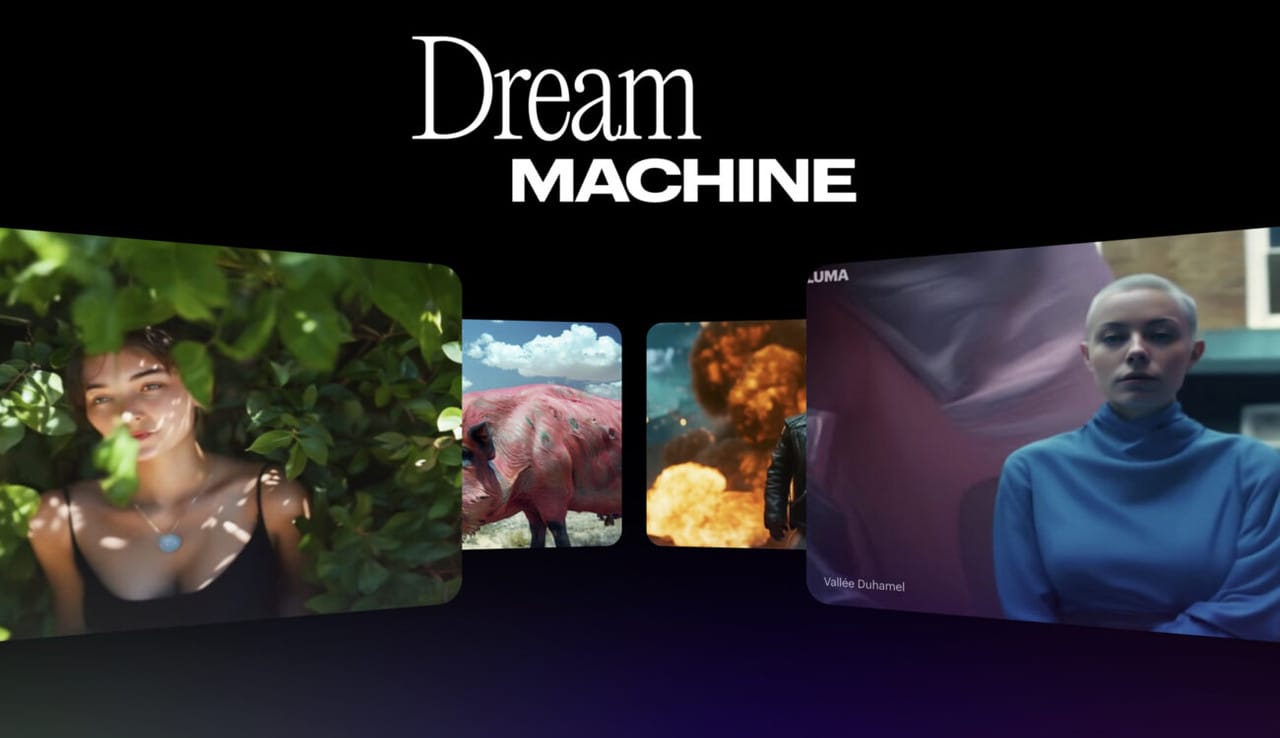
Luma Dream Machine is what I would recommend to a creator who thinks visually before they think operationally. The platform’s current Ray and Dream Machine stack is built around Modify Video, Character Reference, keyframe-aware control, cleaner first/last-frame transitions, and higher-fidelity image and video generation, with Ray3.14 also pushing native 1080p and better motion consistency. That combination gives Luma a very particular feel: it is not only about generating something new, but about shaping, preserving, and refining visual intent across a shot or sequence.
What makes Luma stand out is how much it rewards intentionality. Character Reference gives it real continuity value. Modify Video and Ray3 Modify make it more than a prompt box. The platform is clearly trying to let users direct transitions, preserve identity, and redesign footage without throwing away everything that was already working. That makes the output feel more art-directed than what you usually get from lightweight creator apps, and it is why Luma suits directors, concept artists, music-video ideators, and visually opinionated creators especially well. The trade-off is that Luma is less casual than DeeVid or Hailuo and less immediately legible than a pure social app. It gives more back, but it expects more taste and intent from the user.
Pros: strong continuity tools, beautiful high-fidelity output, better-than-average modification workflow.
Cons: less beginner-friendly, and most valuable when the user already knows what visual world they want.
8. Hailuo AI
Hailuo feels like a creator app on the surface, but there is more substance underneath than that first impression suggests. The core experience is straightforward: start from text or an image, generate quickly, and use subject reference when you want the same person or character to stay recognizable from scene to scene. The newer Hailuo 2.3 positioning also leans into smoother motion, stronger style stability, anime-friendly looks, and more lifelike facial emotion, which tells you the product is not only chasing novelty but also trying to improve the actual viewing quality of short-form outputs.
That gives Hailuo a very specific sweet spot. It is excellent for users who want attractive, stylized, quick-turn video without having to learn a more demanding environment. It is especially well suited to mobile-first creators, anime-adjacent content, portrait-led videos, short promos, and social experimentation where speed matters more than obsessive directorial control. The control story is decent rather than deep: reference images and structured prompting go a long way, but Hailuo still feels more like a guided generation tool than a filmmaking system. It also places more responsibility on the user to prep assets and prompts carefully, especially because even Hailuo’s own guidance warns that issues like aspect-ratio mismatch can create visual artifacts at the edges.
Pros: approachable workflow, strong subject-reference value, good fit for stylized social content.
Cons: shallower scene control than Runway or Luma, and results depend heavily on disciplined prompt and asset setup.
9. Haiper
Haiper is one of the more underrated tools in this roundup because it gives users more real control than its lightweight presentation suggests. The platform supports text-to-video, image-to-video, video repainting, and video extension, and its most interesting idea is still Vary Region: instead of regenerating the entire shot, you can target part of the first frame and only change that area. That is a small but meaningful step toward selective editing, and it makes Haiper feel more hands-on and flexible than many simpler creator tools.
In practice, Haiper is best for creators who like iterating. It is not the most cinematic tool here, and it is not the most polished in terms of product mystique either, but it is useful for people who want to tinker, reprompt, restyle, and selectively alter results rather than just hit generate once. That makes it a good fit for hobbyists, stylized-content creators, and experimental users who like having visible levers such as duration, seeds, privacy, and region selection. The weakness is that this same hands-on flexibility can feel more manual than one-click social apps, and the output/workflow package does not feel as premium as Runway or Luma.
Pros: flexible multi-mode workflow, useful selective edit control, good for experimentation.
Cons: more manual than casual apps, and less clearly high-end than the strongest cinematic platforms.
10. InVideo AI
InVideo is the least “single-model” product on this list, and that is exactly why it works so well for business users. It behaves more like an AI content production system than an AI video generator in the narrow sense. The current platform bundles access to 200+ image, video, audio, and music models, an InVideo v4 agent that can create up to 30 minutes of video from one prompt, stock libraries, AI avatars, UGC-ad workflows, product-video tooling, text-to-video, and image-to-video. That changes the value proposition completely. The question here is not “how good is one generation?” but “how fast can this get me to a finished asset?”
That is why InVideo suits marketers, ad teams, explainers, ecommerce operators, and social-content systems so well. It is built for throughput. The output experience is less about obsessing over one cinematic moment and more about assembling a usable video with script, visuals, voice, subtitles, product shots, and distribution-ready structure. Even features like product clone visuals, AI avatars, and UGC-style ads point in the same direction: this is a publishing machine. The downside is obvious if you are an artist-first user. InVideo is less attractive as a frontier-model playground and less satisfying if what you want is auteur-style scene direction. But if the goal is scale, speed, and deliverables, it is one of the smartest products in the category.
Pros: best workflow for finished marketing content, huge model/tool breadth, very strong operational utility.
Cons: less cinematic and less model-centric than Runway, Kling, or Luma, with more emphasis on assembly than pure visual experimentation.
Final Take
If you want the cleanest general replacement for Sora, choose DeeVid AI. If you want the most professional filmmaking-oriented environment, choose Runway. If you want the strongest value-to-output ratio, try Kling AI or Vidu. If you want the safest brand and commercial workflow, pick Adobe Firefly. If you want viral, remix-heavy social content, Pika stands out. And if your real problem is not “finding another model” but “shipping more finished videos faster,” InVideo AI is one of the smartest alternatives on the board.
FAQ
Why are people looking for Sora alternatives right now?
Because OpenAI announced it is discontinuing Sora on March 24, 2026, according to multiple major outlets. At the same time, some official Sora pages were still live when this article was drafted, so many users are proactively moving before the transition becomes messier.
Which Sora alternative is the best overall?
For most users, DeeVid is the best overall choice because it combines text-to-video, image-to-video, video-to-video, templates, cross-video character consistency, and mobile access in one workflow instead of forcing you to juggle separate tools.
Which alternative is best for filmmakers?
Runway. Its current platform is the most filmmaking-oriented in this list, with Gen-4.5, Aleph, Act-Two, and a stronger emphasis on controllability and scene consistency than most consumer-first apps.
Which one is best for mobile creators?
DeeVid, Hailuo, Adobe Firefly, and InVideo all have explicit mobile access, but DeeVid and Hailuo stand out most if mobile creation is central rather than secondary.
Which alternative is best for marketing teams?
If you want fast campaign production, DeeVid and InVideo are the strongest picks. DeeVid is better for broader AI generation workflows, while InVideo is especially good for script-led explainers, promos, and business content assembly.