
Hix AI Video & Image Generator Review: Multi-Model Video Hub or “Jack of All Trades”?
Hix AI has grown from a writing assistant into a broad all-in-one AI suite: AI chat, long-form writing, translation, plus tools for images, videos, and even music. On its homepage and product pages, Hix now highlights that you can generate high-quality, creative AI images and videos in many different styles from a single platform.
In this review, we’ll take a calm, product-focused look at:
- What Hix AI Video & Image Generator actually does well
- Where its real-world trade-offs and limits are
- How it compares to DeeVid, especially if your main job is video and image creation rather than general AI writing
What Hix AI Offers for Video & Image Creation
1.1 Hix as a multi-model video hub
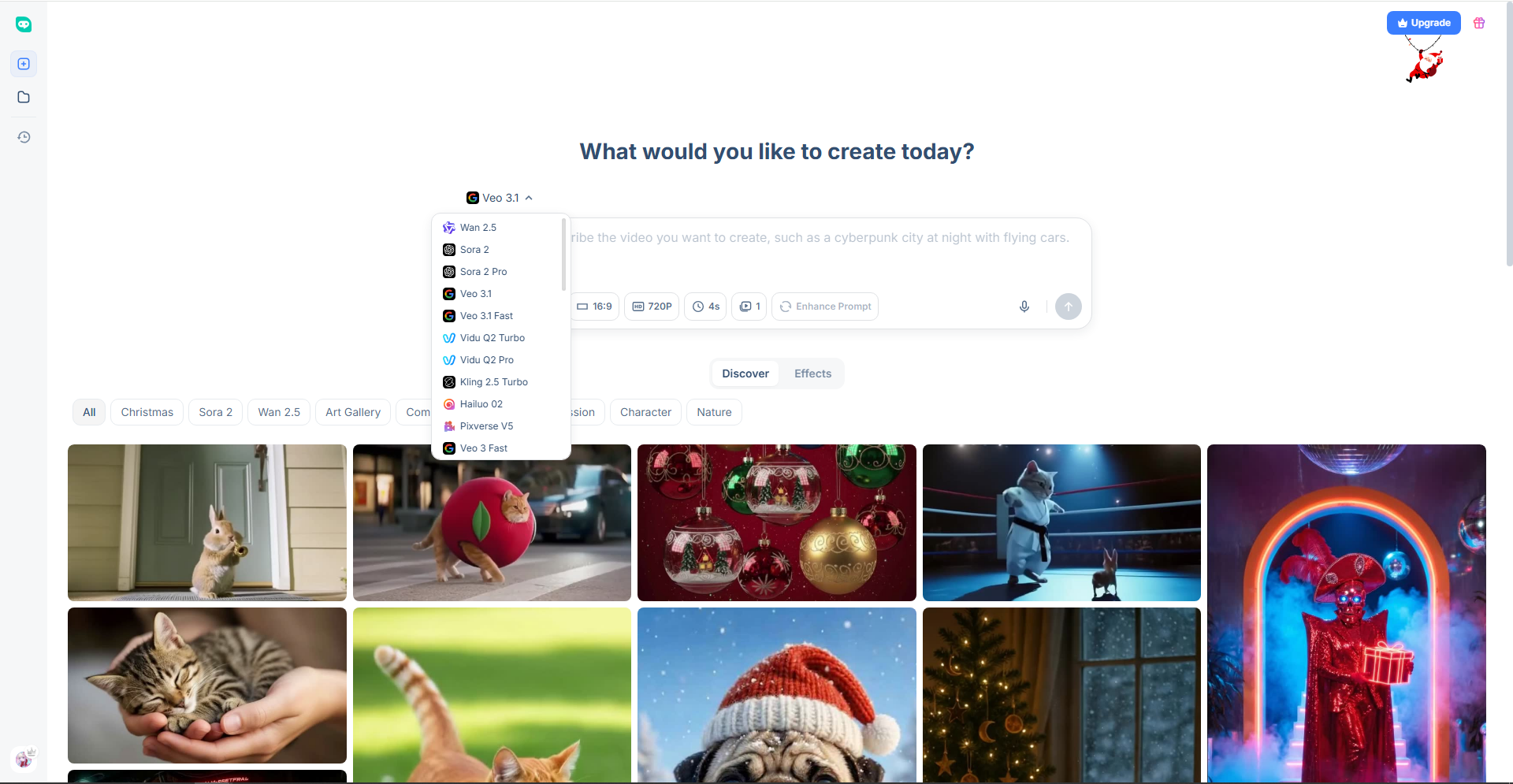
Hix presents its video product as a central hub for multiple AI video engines. The positioning is clear: instead of relying on a single proprietary model, Hix gives users access to several different text-to-video and image-to-video systems in one place.
In practice, this looks like:
- Text to video – type a prompt and generate clips in cinematic, anime, 3D, stylized and other formats
- Image to video – animate static images using different underlying image-to-video models
- Video to video – restyle or transform existing clips
For users who are curious to try a variety of video models without managing multiple accounts or APIs, this aggregation is genuinely convenient.
1.2 Hix’s AI Image Generator: text-to-image & image-to-image
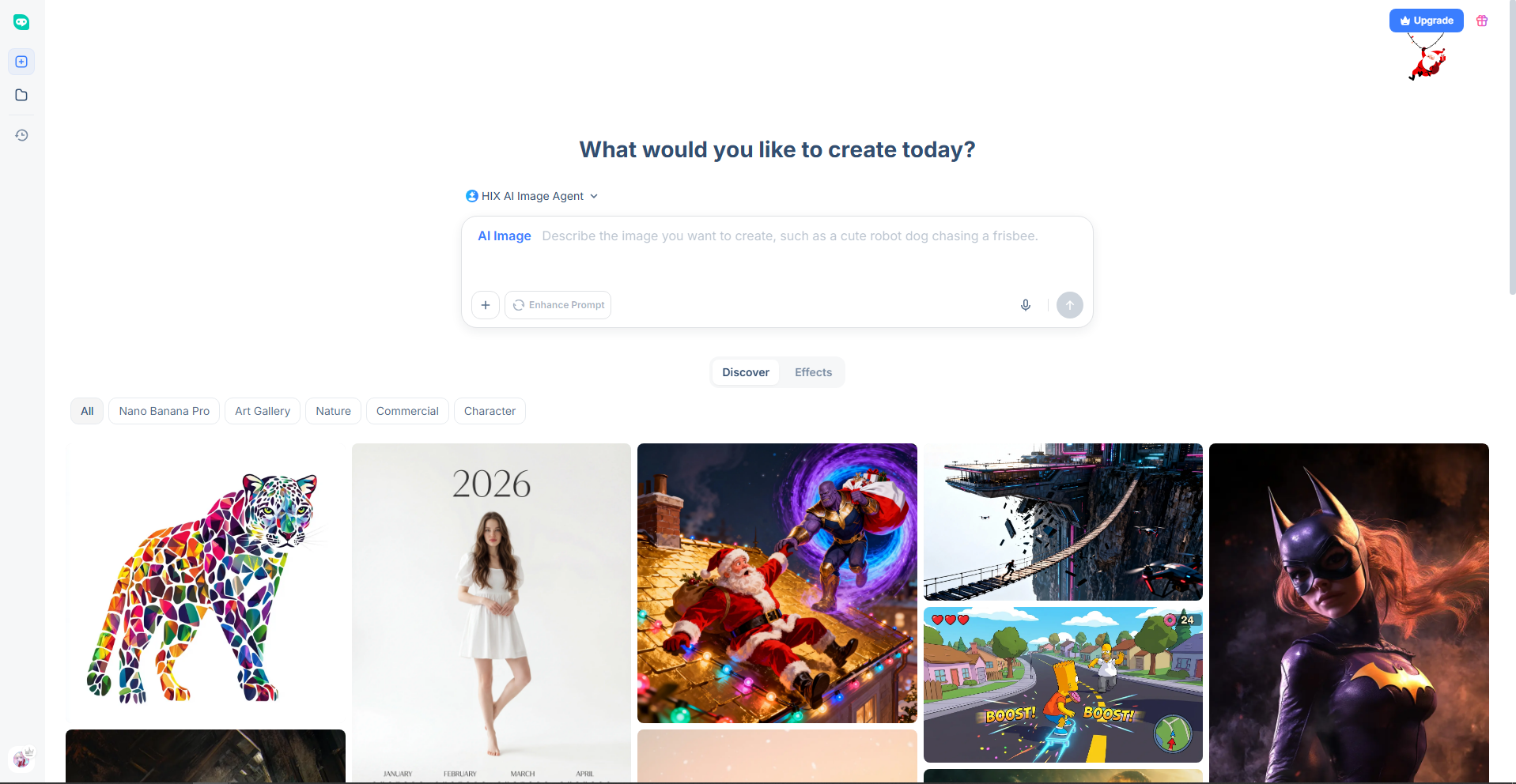
On the image side, Hix has a dedicated AI image section:
- A text to image generator that turns prompts into images across a wide range of styles, with options for higher resolution
- An image to image generator function for restyling existing images in different aesthetics
- Integrations with models that are good at text-heavy graphics (for example, for posters and logo-style visuals)
Hix also promotes a chat-based “AI image agent” that can:
- Ask follow-up questions about what you want
- Choose a suitable image model for the task
- Maintain context across multiple generations and edits
The idea is: instead of manually picking engines each time, you describe what you want and let the agent mediate.
1.3 An “all-in-one” user experience
More broadly, Hix is positioned as a writing and productivity suite:
- Dozens of tools for long-form writing, editing, SEO content and everyday work
- Browser extensions and integrations around text workflows
From a user’s point of view, the value proposition is:
Write, translate and summarize your content, then stay in the same place to generate images and videos to go with it.
If your workflow is fundamentally text-centric, with visuals as a supporting layer, that has clear appeal.
AI tools are evolving quickly, but understanding how these models work and where their limitations lie is becoming just as important as using them. For UX designers and product teams, building a solid foundation in generative AI helps set realistic expectations and make better design decisions. To become an AI-powered designer, learn more about the UX Design Institute’s Certificate in AI Fundamentals for UX.
Where Hix AI Video & Image Generator Struggles
None of this makes Hix a bad product. But user feedback and external reviews do surface some real trade-offs that visual creators should be aware of.
2.1 Pricing complexity and quotas

Because Hix bundles many capabilities under one subscription, its pricing is structured as tiers plus usage quotas. In practice, this often means:
- Higher-end or “advanced” features are locked behind more expensive plans
- Monthly limits on generation, especially for the more powerful models
- Heavy users needing to upgrade or wait for the next billing cycle if they hit the cap
This is normal for a multi-tool AI suite, but it does add complexity if you mainly care about images and videos, not the entire collection of text tools.
2.2 Subscription and billing friction
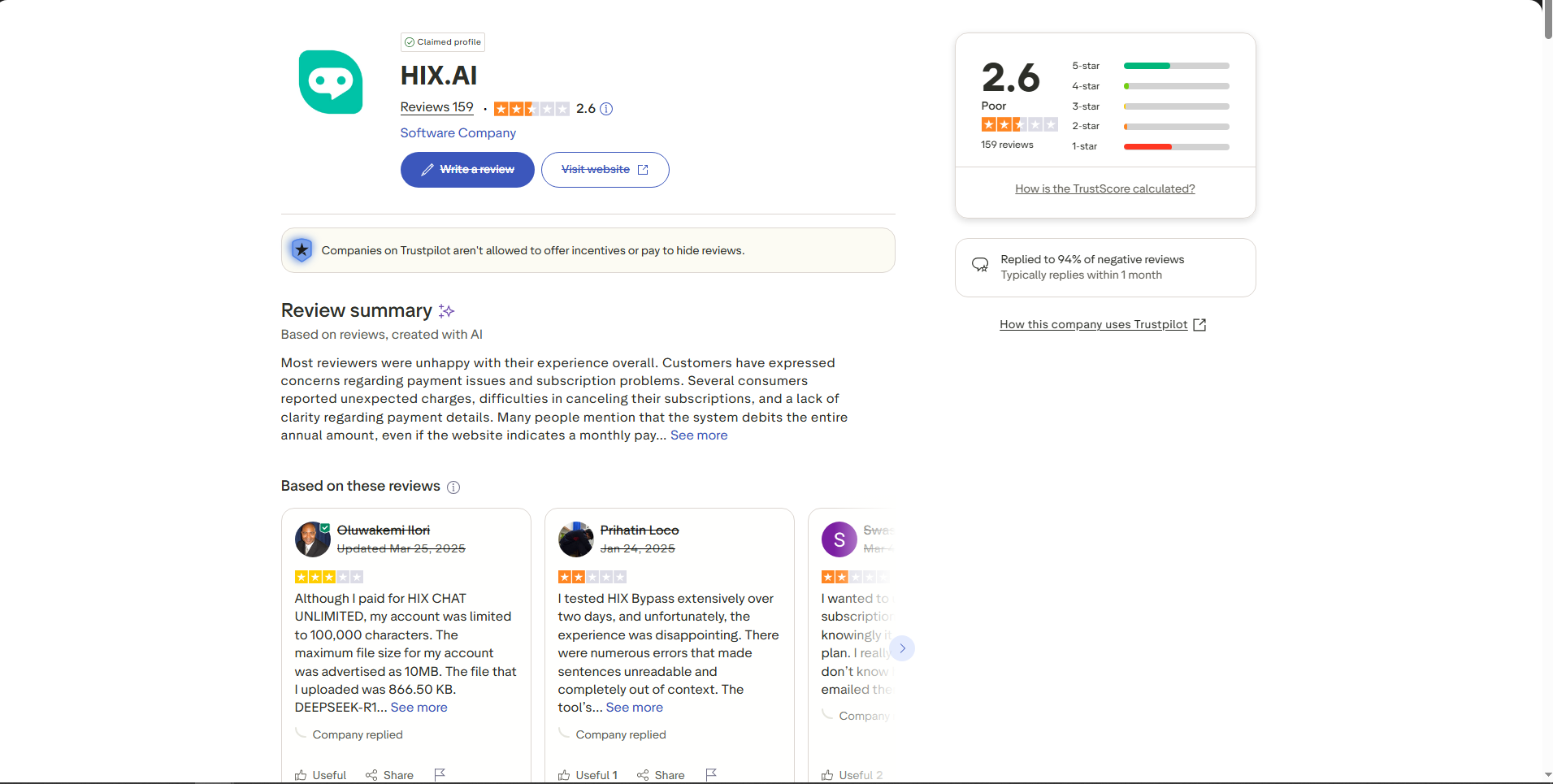
Some public user reviews mention friction around:
- Paying for a plan but temporarily still seeing the account as “free”
- Confusion over cancellation, renewals or refunds
- Slow or unsatisfying support in specific cases
That doesn’t define everyone’s experience, of course, but it is part of the overall risk picture for long-term subscriptions.
2.3 “Professional-grade” expectations vs. AI model reality
Hix’s own comparisons sometimes suggest that DeeVid’s outputs are not reliable enough for professional use, while painting Hix as a safer choice.
It is important to keep one thing in mind:
- Modern text-to-video models in general still struggle with long-term temporal coherence, nuanced acting, hands, small details and perfect typography
- Text-to-image models can hallucinate or misrender details, especially complex text or logos
- These are model-level limitations, shared across the entire industry—not something unique to DeeVid or magically solved by Hix
What really matters in day-to-day work is:
- How each platform wraps these models into usable workflows
- How much control and iteration power you get
- How well the platform fits real production tasks such as ads, explainers, e-learning and social content
How DeeVid Differs: A Visual-First Studio, Not a General AI Toolbox
From DeeVid’s side, the design philosophy is almost the opposite of Hix:
Hix starts from writing and adds visuals.
DeeVid starts from video and imagery and builds everything else around that.
3.1 Video-first, with AI Video Agent as the backbone
DeeVid’s recent evolution is less about “one more model” and more about better workflows for video:
- A powerful AI Video Generator that turns text, images or existing clips into short-form videos with minimal friction
- A new AI Video Agent that connects your script, scenes and visuals into one production flow instead of isolated generations
- Native AI Music and Text to Speech (TTS) so background music and voiceover can be generated, timed and refined inside the same project
In practice, a typical DeeVid project can look like this:

- Paste or write a script / outline
- Let the Video Agent break it into scenes and shots, and choose suitable models
- Generate or adjust visuals, music and voice inside a unified interface
- Fine-tune the timeline and export a finished video
That is much closer to how professional content is actually produced—just compressed into an AI-assisted workflow.
3.2 Images as part of a motion pipeline
DeeVid’s image capabilities are not designed as a standalone art toy. They’re built to feed the video pipeline:
- Generate AI images for characters, products, scenes and keyframes
- Animate them through Image-to-Video and other visual workflows
- Maintain stylistic and character consistency across shots and campaigns

Different models (including Seedream-style, Nano-style and in-house engines) are chosen not just for how good a still looks, but for how well it can be carried into motion.
For video-first teams, that “static → motion” continuity is often more important than sheer variety in isolated image styles.
3.3 Multi-model, but optimized around visual scenarios
DeeVid also uses multiple models under the hood: high-end external video engines plus strong image models and proprietary video engines.
The key difference is in how everything is tuned:
- Presets, defaults and UI flows are designed for visual jobs such as:
- Social ads and promos
- Product and e-commerce videos
- Educational micro-lessons and explainers
- Brand intros, outros and UGC-style vertical content
- Instead of spreading focus over dozens of unrelated AI tasks, DeeVid concentrates on making these specific visual workflows fast and reliable
From the outside, that’s why DeeVid is often described as an AI studio for video and imagery, rather than an “AI for everything” platform.
When Should Creators Use Hix vs. DeeVid?
There’s no need to treat this as a binary “good vs. bad” question. It’s more useful to ask: what is my main job?
Hix AI Video & Image Generator is a good fit if…
- Your core work is writing: blogs, SEO content, reports, emails, homework, documentation
- You want an AI assistant that can:
- Help you draft and edit text
- Then, in the same account, generate supporting images and videos
- You prefer a chat-centric interface across everything—text, images and video
In other words: if visuals are important, but your day revolves primarily around text, Hix’s all-in-one approach will feel natural.
DeeVid AI is a better choice if…
- Your main focus is visual content:
- Short-form videos
- Product and ad creatives
- Course clips and explainers
- Visual assets for social media and brand storytelling
- You want:
- A platform built around video and images first
- An agent-driven flow from script → scenes → video → music → voice
- Image tools that plug directly into video workflows (especially Image-to-Video)
- A roadmap centered on content production, not general-purpose AI utilities
If you live and breathe video and imagery, DeeVid aims to be your primary creative environment, not just a side panel in a writing tool.
Final Thoughts
Hix AI Video & Image Generator is a genuinely interesting product:
- It aggregates multiple models into one place
- It offers chat-based control over images and videos
- It fits naturally into Hix’s broader writing and productivity ecosystem
At the same time, some public comparisons can understate what DeeVid already delivers for creators whose work is visual-first:
- DeeVid is not just a prompt box—it has an integrated AI Video Agent, music generation and TTS to cover the entire production stack
- DeeVid’s image and image-to-video workflows are designed specifically to support real-world output for ads, social content and education
- The core technical limits of current AI video and image models (clip length, consistency, fine details) are shared across the industry, not unique to any single platform
If you primarily need an AI writing copilot that can also do visuals, Hix AI makes a lot of sense.
If your world is video and images—and you want your main tool to think the way a studio thinks—DeeVid is built specifically with that in mind.