AI GIF GeneratorGIFs That Go Viral
Funnier memes, bolder promos, livelier stickers: turn one line or one photo into a seamless looping GIF in seconds. Powered by OpenAI’s new GPT Image 2.6.
Trusted by Businesses and Creators Worldwide


Made by Creators on DeeVid
Hover over any GIF to see its prompt — click the prompt to copy it in full and make your own.
Pop Art Perfume
Moonlit Duel
Back to Napping
A Chance Encounter
Puppy DJ Party
Day & Night Switch
Pixel Adventure
White Sneaker
How AI GIF Generator Helps You
Text to GIF
Describe the scene and what should move, and get a seamless looping GIF — no stock footage, no editing.
Bring Your Photos to Life
Upload a photo, product shot or illustration and pick what moves — rising steam, a waving flag, a friendly wave — while everything else stays put.
Use Anywhere
GIFs loop on their own with no play button. Drop them into chats, emails, web pages and slides, compressed to the right size in one click.
Use Cases
Memes, promo emails, animated stickers, web pages and slides — one looping motion is all it takes.
Reaction GIFs & Memes
Turn inside jokes into one-of-a-kind reactions — an eye-rolling cat, a shiba nodding “on it”, your own avatar sending love — ready for Discord, Slack and X.
Product & Email Promos
Make product shots move — steam, sparkle, a pulsing sale badge. Most inboxes won’t play video; GIFs just work.
Animated Stickers & Logos
Give your logo, mascot or sticker one small move for social posts, live streams and apps.
Web, Slides & Tutorials
Small loops for website banners, slides and Notion docs — one motion that makes the point.
Powered by GPT Image 2.6 Pro
Higher quality, sharper text and smoother loops — GIFs ready to use as delivered.
How to Use AI GIF Generator
Three steps. No download needed, just open your browser and start.
STEP 01
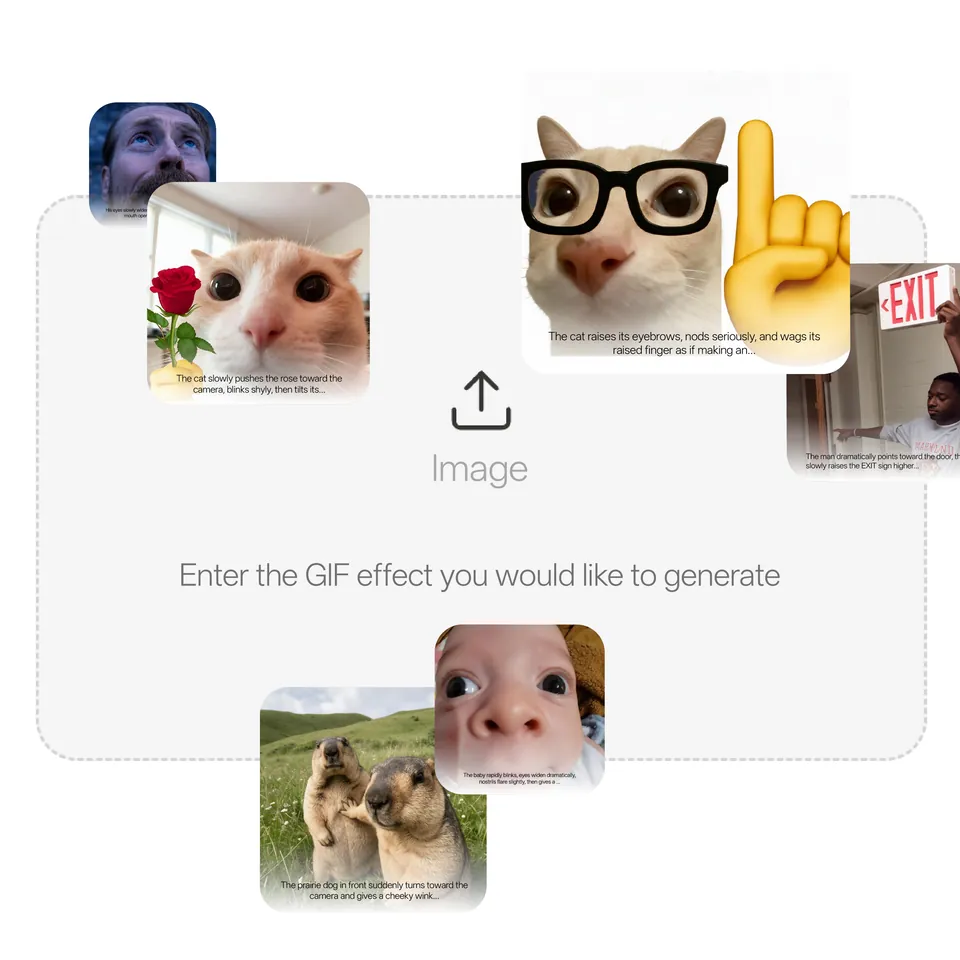
Describe or Upload
Write one line about the scene and what moves, or upload an image to start from.
STEP 02
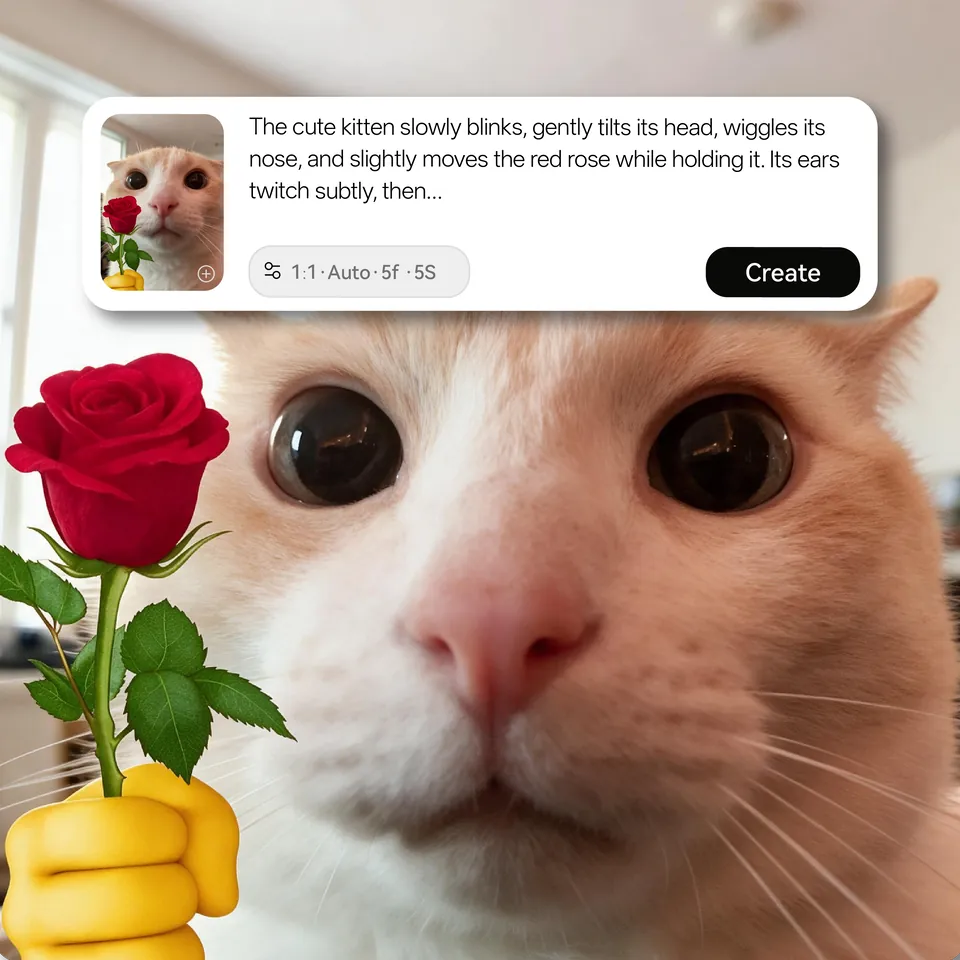
Set Up Your GIF
Pick the aspect ratio, frame count and speed. Use Flare for quick drafts and Pro for the final version.
STEP 03
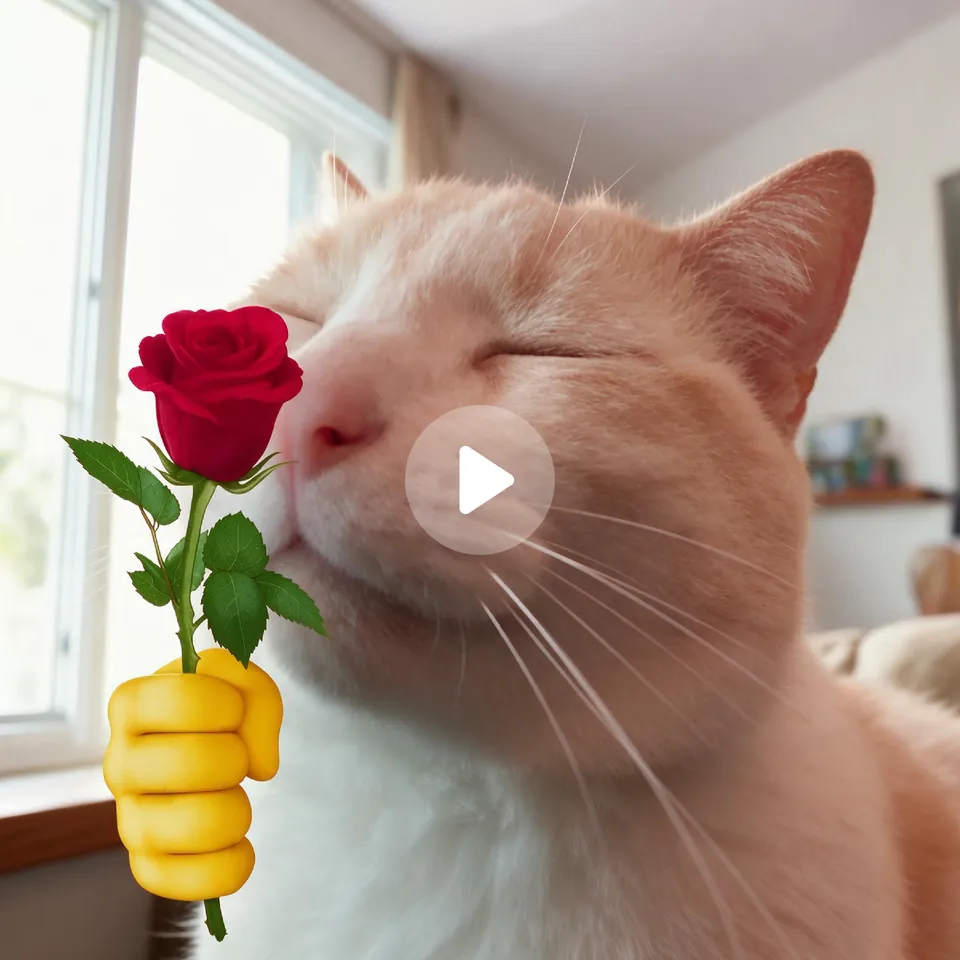
Generate & Download
Preview the loop, then download your GIF — or export a sharper MP4.
More AI Tools
One account unlocks every creative tool on DeeVid.
Loved by Creators
Feedback from real creators.
Reference assets keep characters and scene styles consistent, making them ideal for a series of social posts.
I can quickly explore product visuals and camera directions, leaving more time for creative ideas.
Starting with text or images makes turning ideas into visuals feel more intuitive.
Matching visuals to music and movement helps me develop a complete visual concept faster.
Exploring variations within one visual direction makes it easier to develop a cohesive content series.
Turning abstract scene descriptions into video previews makes creative proposals easier to explain.
Matching visuals to music and movement helps me develop a complete visual concept faster.
Exploring variations within one visual direction makes it easier to develop a cohesive content series.
Turning abstract scene descriptions into video previews makes creative proposals easier to explain.
Reference assets keep characters and scene styles consistent, making them ideal for a series of social posts.
I can quickly explore product visuals and camera directions, leaving more time for creative ideas.
Starting with text or images makes turning ideas into visuals feel more intuitive.
AI GIF Generator FAQs
What is an AI GIF generator?
An AI GIF generator creates animated GIFs from a text description or a still image. On DeeVid, you describe the scene and the motion, and GPT Image 2.6 draws every frame and loops it seamlessly — no video editing, no frame-by-frame work.
How do I make a GIF from text?
Type what you want to see and what should move — for example, “a neon OPEN sign flickering on a rainy night.” Pick a size and speed, click Generate, preview, then download. Clear, simple motion gives the smoothest loops. A good prompt names four things: the subject, the one thing that moves, the style and the background.
Can I turn a photo into a GIF?
Yes. Upload a photo, product shot or drawing and describe the movement — rising steam, blowing hair, a wave. The rest of the image stays the same, so your product or character keeps its look. It works especially well for product photos, pets, illustrations and logos.
Can I convert a video into a GIF?
Yes. Upload a short clip, trim the part you want and export it as a GIF. For brand-new footage with camera moves or several actions, create it with the AI Video Generator first, then export it as a GIF.
Which AI model makes the GIFs?
DeeVid uses OpenAI’s GPT Image 2.6, released in November 2026. Flare is the fast mode for drafts and quick variations; Pro takes a little longer and gives higher quality and better consistency for your final GIF. Switch anytime: explore a few ideas in Flare, then finish the best one in Pro.
How long can a GIF be?
AI GIFs work best as short loops of one simple movement — usually 9 to 16 frames, about 1–3 seconds, repeating seamlessly. For longer animations with camera moves, make a video and export it as a GIF.
Is the AI GIF generator free?
You can start for free. Sign up on DeeVid to get free credits for making GIFs, and upgrade only when you need more generations or higher quality.
Can I add text to a GIF?
Yes. Put the exact words in quotes in your prompt, such as bold text “HAPPY FRIDAY!” at the bottom. GPT Image 2.6 renders text more accurately — use Pro for GIFs with text.
What if my GIF file is too large?
After generating, compress it in one click to a size that fits chats, emails or web pages — or export an MP4 for higher quality.
Can I use the GIFs commercially?
GIFs made on paid plans can be used commercially, including ads, social content and product promotion. See the DeeVid Terms of Service for the full license.
Make Your GIF Free
One line or one photo is all it takes. Sign up now and start creating for free.