
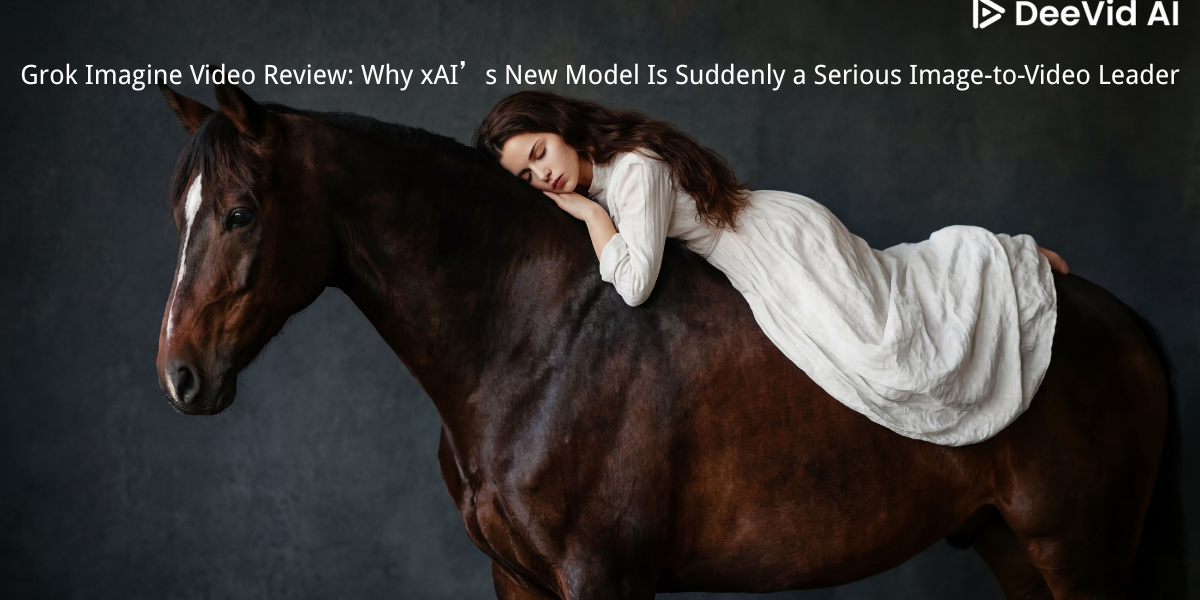
Grok Imagine Video Review: Why xAI’s New Model Is Suddenly a Serious Image-to-Video Leader
Grok Imagine Video did not arrive as just another “make a short clip” model. xAI launched it as part of the Grok Imagine API on January 28, 2026, positioning it as its most powerful video-audio generative model yet—built for text-to-video, image-to-video, and prompt-based video editing inside one workflow. That matters because the model is not only trying to generate prettier clips; it is trying to make video creation more iterative, editable, and production-friendly.
At DeeVid AI, that is exactly why Grok Imagine Video stands out. Arena’s Image-to-Video leaderboard currently shows grok-imagine-video-720p at No. 1 with a 1404±6 score, ahead of Google’s veo-3.1-audio-1080p at No. 2, while grok-imagine-video-480p also lands in the top tier at No. 5. That combination—top-end ranking plus multiple practical output modes—is what makes Grok Imagine Video more than a hype release.
What Is Grok Imagine Video? A One-Sentence Overview
Grok Imagine Video is xAI’s current flagship generative video model for turning text prompts into clips, animating still images, and editing existing videos with natural-language instructions, with configurable duration, aspect ratio, and resolution.
Why Grok Imagine Video Matters Right Now
The reason Grok Imagine Video matters is simple: it is not only competitive on outputs, it is competitive on workflow. xAI’s official product positioning emphasizes three things at once—video generation, video editing, and instruction following—while the public Arena ranking shows that the 720p version is already performing at the very top of the current image-to-video field.
Grok Imagine Video: Creator-Facing Snapshot
| Category | Grok Imagine Video 480p | Grok Imagine Video 720p |
|---|---|---|
| Current Arena position | #5 | #1 |
| Resolution | 480p default | 720p HD |
| Price | $0.05/sec | $0.07/sec |
| Best fit | Faster iteration, testing, social drafts | Higher-quality hero clips, client-facing outputs |
| DeeVid AI take | Great workhorse mode | The version that makes Grok feel like a top-tier visual product |
This quick comparison is grounded in xAI’s official model docs and Arena’s current Image-to-Video standings.
The Big 5 Reasons Grok Imagine Video Stands Out
1) It Is Already the Current No. 1 Model on Arena’s Image-to-Video Leaderboard
A lot of video models launch with strong demos and weak public evaluation. Grok Imagine Video is different because its 720p version is already sitting at the top of Arena’s Image-to-Video leaderboard, with its 480p version also ranking strongly. That does not mean the conversation is over, but it does mean Grok is no longer a fringe pick—it is already in the main tier creators need to watch.
2) xAI Is Clearly Betting on Instruction Following
xAI’s own launch materials make “best-in-class instruction following” one of the headline claims for Grok Imagine. That is important because many video models can make an impressive clip, but fewer can reliably obey motion, scene, object, and sequencing instructions in a way that feels useful for repeated creative work. At DeeVid AI, this is one of the biggest reasons Grok Imagine Video looks practical rather than merely flashy.
3) Video Editing Is Treated as a Core Capability, Not a Bonus Feature
Grok Imagine Video is not limited to text-to-video or image-to-video. xAI also documents a video-editing workflow where users can restyle scenes, add or remove objects, and control motion through prompts. The editing pipeline keeps the source clip’s duration and aspect ratio, supports .mp4 inputs, and caps output resolution at 720p. That makes Grok feel closer to a creative operations tool than a single-purpose generation model.
4) The Workflow Is Flexible Enough for Real Production
Official xAI docs show that Grok Imagine Video supports text-to-video, image-to-video, and video-to-video editing, plus multiple aspect ratios including 1:1, 16:9, 9:16, 4:3, 3:4, 3:2, and 2:3. Generation duration is configurable from 1 to 15 seconds, while resolution options are 480p and 720p. That is a very practical range for ads, social content, teaser clips, visual concepts, and test variations.
5) It Looks Strong on the Quality-to-Iteration Tradeoff
One of the most important details in xAI’s rollout is not just output quality, but the company’s repeated emphasis on latency, concurrency, and cost. Official docs show per-second pricing that scales by resolution, with Grok Imagine Video listed at $0.05/sec for 480p and $0.07/sec for 720p. Combined with top leaderboard momentum, that gives Grok a stronger “use it repeatedly” story than many models that feel good only for one-off hero generations.
Best-Fit Use Cases: Where Grok Imagine Video Wins
If you are choosing Grok Imagine Video for actual work, these look like the strongest fits.
1) Turning Still Images Into Motion-Ready Creative Assets
Because xAI explicitly supports image-to-video generation from a source image URL or base64 image, Grok Imagine Video is well suited for taking posters, character art, product shots, concept stills, or campaign visuals and turning them into short motion pieces. For DeeVid users, this is especially relevant because strong stills are often the best starting point for stronger video workflows.
2) Social Ads, Product Teasers, and Vertical Campaign Clips
The supported aspect ratios make Grok especially practical for social formats. 9:16 and 1:1 outputs are immediately useful for mobile-first creative, while 16:9 remains strong for YouTube, landing-page embeds, and promo reels. The 1–15 second duration range also matches the way short-form ads are actually produced and tested.
3) Fast Visual Iteration Before Full Video Production
Grok Imagine Video generation is asynchronous and can take several minutes depending on prompt complexity, duration, resolution, and whether you are editing an existing video. Even so, the combination of flexible settings and per-second pricing makes it well suited to generating multiple exploratory directions before you commit to a final campaign cut.
4) Prompt-Based Restyling and Scene Revision
This is one of the more interesting use cases. If your workflow includes changing wardrobe colors, swapping objects, restyling a shot, or preserving a clip while altering visual details, Grok’s editing mode looks especially valuable. xAI’s own materials lean heavily into that story, and the benchmark section in its launch post specifically highlights Grok Imagine’s edge in editing-related evaluation.
Grok Imagine Video 720p vs 480p
These two versions matter because they shape how Grok fits into a real pipeline.
Quick Comparison (Practical Workflow)
| Category | Grok Imagine Video 480p | Grok Imagine Video 720p |
|---|---|---|
| Arena standing | #5 | #1 |
| Output goal | Fast draft generation | Higher-quality final-facing assets |
| Cost | Lower | Higher |
| Best for | Volume, iteration, A/B testing | Premium social cuts, demos, presentations |
| Ideal user | Teams optimizing speed and throughput | Teams that want Grok at its strongest public setting |
The ranking, resolution, and pricing details above come from Arena and xAI’s model docs; the workflow framing is DeeVid AI’s practical interpretation.
Which should you choose?
Pick 480p when you want faster, cheaper iteration and you are testing multiple directions. Pick 720p when you want the version of Grok Imagine Video that currently leads the public image-to-video leaderboard and feels closer to presentation-ready output.
Prompting Tips That Match Grok Imagine Video’s Strengths
A good Grok Imagine Video prompt should usually be structured like this:
Subject → Motion → Camera → Environment → Style → Timing → Audio intent
For example:
“A luxury perfume bottle on a black reflective surface, slow cinematic rotation, soft spotlight and drifting mist, premium commercial style, elegant pacing, subtle ambient sound design.”
That prompt pattern works well because Grok is clearly being positioned around instruction following and motion control, so the more explicitly you define movement, framing, and scene behavior, the more likely you are to get a usable result. xAI’s product direction strongly suggests that Grok performs best when treated like a controllable creative tool rather than a vague one-line demo prompt.
Where to Try Grok Imagine Video
As of March 2026, the most direct official access points are xAI’s Grok Imagine API docs and playground. The model is documented under grok-imagine-video, with official guidance for text-to-video, image-to-video, and editing workflows.
The DeeVid Takeaway: The Best Way to Use Grok Imagine Video in a Video Workflow
At DeeVid AI, the best way to think about Grok Imagine Video is not “yet another AI video model,” but a strong motion layer for modern creative production. If your workflow starts with a still image, key visual, product frame, concept shot, or ad idea, Grok gives you a way to animate that asset into a short clip without leaving the same general prompt-driven system. That makes it especially relevant for performance creatives, teaser content, ecommerce motion, and rapid campaign testing.
Just as importantly, Grok’s current public profile is balanced. It has real strengths—a No. 1 Arena ranking for the 720p variant, flexible generation settings, and official support for editing—but it also has real limits, including a 15-second generation cap, a 720p ceiling, and an editing pipeline limited by source-video length. In other words: Grok Imagine Video is already strong enough to matter, but its best role today is focused, short-form, high-iteration video creation rather than long-form cinematic replacement.
FAQ
Is Grok Imagine Video really No. 1 in image-to-video right now?
On Arena’s Image-to-Video leaderboard, grok-imagine-video-720p is currently ranked No. 1, and grok-imagine-video-480p is also in the upper tier at No. 5. The 720p listing is marked preliminary, so it is best described as the current public leader rather than a final settled winner.
Does Grok Imagine Video support image-to-video?
Yes. xAI’s docs explicitly describe an image-to-video workflow where a still image is animated according to the prompt.
Can it also edit existing videos?
Yes. xAI documents a video-editing mode that supports restyling, object addition or removal, and motion control through prompts.
What are the current max duration and resolution limits?
For generation, Grok Imagine Video supports 1–15 second outputs and 480p or 720p resolution. For editing existing videos, the source clip length is capped at 8.7 seconds and output resolution is capped at 720p.
How is Grok Imagine Video priced?
xAI documents per-second pricing that varies by resolution. Current model-page snippets show $0.05/sec for 480p and $0.07/sec for 720p.