
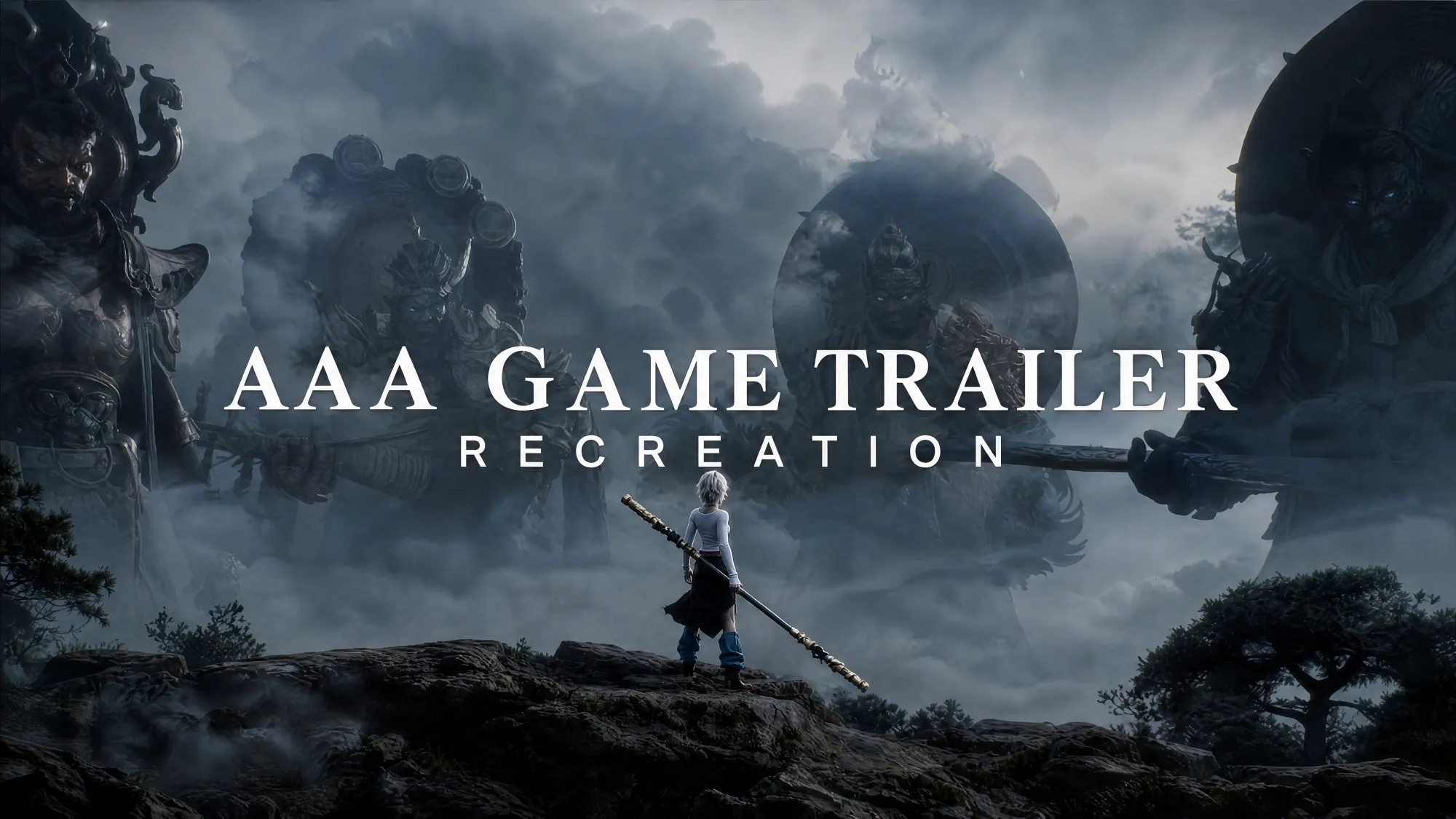
Viral Studio | Recreate an AAA Game Trailer
Rewriting the Rules of Viral Video: How to Recreate an AAA Game Trailer in Minutes
🎁 New users get 50 free credits to try Viral Studio — no card required.Create like a pro. Just ask DeeVid Agent.
🎬 DeeVid AI is your all-in-one AI director for video, image, avatars, voice & music. Creation, unbound.Its newest feature, Viral Studio, is built around one idea: any viral video — a game trailer, a movie CG, a viral ad — has a repeatable formula. Instead of manually studying a video's shots, pacing, and transitions, Viral Studio decodes that formula for you — then lets you swap in your own characters, products, or scenes while keeping the exact structure that made the original work. The result: a finished, export-ready video, built in minutes instead of hours.In this walkthrough, we'll show you exactly how it works, using a real example — recreating a viral Black Myth: Wukong game CG trailer.👉 Click here to try Viral Studio
Step 1: Upload the Video You Want to Recreate
Open Viral Studio inside the DeeVid AI app. Upload the video you want to recreate — you can paste a direct link from Instagram, YouTube, TikTok, or Facebook Reels, or upload an MP4 file directly.Once your video is uploaded, click Create.That's it — no manual logging, no timestamping, no note-taking. Viral Studio takes it from here.
🎬 Start your first recreation here — new users get 50 free credits, no card required.
Step 2: Let AI Generate the Professional Prompt
For 1 credit, Viral Studio automatically analyzes your uploaded video and generates a professional prompt describing exactly what's happening on screen — shots, pacing, camera movement, structure.The video is broken into 15-second canvases. If your original video is longer than 15 seconds, Viral Studio automatically splits it into multiple canvases, each capped at 15 seconds.This is the step that used to take creators hours of manual breakdown. Here, it happens automatically.
⚡ See how fast a prompt gets generated — try it yourself — new users get 50 free credits, no card required.
Step 3: Customize the Prompt and Add Your Reference
Once the prompt is ready, you're in control. You can:
- Edit the generated prompt directly
- Upload a character reference image (a white-background three-view image works best — it significantly improves character consistency)
- Upload a background reference
- Adjust the style
Real Example: Recreating the Black Myth: Wukong Trailer
For this recreation, we uploaded a three-view reference image of a female character, paired with this prompt:
"The female lead perfectly recreates every action, camera movement, and transition in the video. Replace the character that appears with the character card — the female lead replaces the monkey character in the video, holding a staff; her movements, positioning, camera cuts, and timing match the video exactly. The UI shown in the video stays unchanged, fully matching the original footage. Her appearance/outfit/hairstyle match the character card 100%, with no drift throughout. Only this one main character — background crowds remain blurred. Preserve the original's Unreal Engine 5 game-quality visuals and hyperrealistic feel. No subtitles."
For parameters, we recommend matching your video size to the original upload — in this case, 720P, 16:9.If your video was split into multiple canvases, repeat this reference-swapping process for each canvas based on your creative direction.🎭
Upload your own character and see the transformation — new users get 50 free credits, no card required.
Step 4: Review and Refine
Once generation is complete, review the result.
- Happy with it? Move on to the next step.
- Not quite right? Adjust your prompt or reference images and regenerate — as many times as you need.
This is where Viral Studio earns its "one-click recreation" name: iteration is fast, and each regeneration only takes minutes.
Step 5: Edit and Export
Your generated canvases now live in the video editor. From here, you can:
- Reposition clips on the timeline
- Adjust speed
- Add music, images, or additional video clips
Once you're happy with the final cut, export — and you've got a complete, ready-to-post AI video.
🎬 Try the full workflow from start to finish — new users get 50 free credits, no card required.
When Recreation Isn't Perfect: The AI Video Backup Method
Sometimes, especially with complex scene or character swaps, Viral Studio's direct recreation might not hit exactly what you're looking for. When that happens, DeeVid AI's AI Video tool is a strong backup option.
How to use it:
- Upload your video directly as an MP4 file (not a link) — it must be under 15 seconds, ideally under 10 seconds for best results.
- Select Master V4.0.
- Match the size, resolution, and duration to your original upload.
- Use this prompt template:
"The main character perfectly recreates every action, camera movement, and transition in the video. Replace the character that appears with the character card — (character card name) replaces [the character] in the video; his movements, positioning, camera cuts, and timing match the video exactly. Fully matches the original footage. Appearance/outfit/hairstyle match the character card 100%, with no drift throughout. Only this one main character — background crowds remain blurred. Preserve the original's visual quality. No subtitles."
This method gives you more granular control when the automatic Viral Studio flow needs a little extra help.
The Bottom Line
What used to take a full production team — storyboarding, shot analysis, character design, VFX, editing — now happens in one workflow, in minutes. That's the entire premise behind Viral Studio: see the trend, be the trend.You don't need a AAA studio budget to make AAA-level content. You need the right formula — and Viral Studio finds it for you.
🚀 Start your free trial of Viral Studio today — new users get 50 free credits to try it, no card required.💬 Have questions about your first recreation? Drop a comment or reach out — we're happy to help you get your first video out the door.